
How to Play Aviator for the First Time in 2026
Aviator is a crash game by Spribe. The round starts at 1.00x, the multiplier rises, and the plane can disappear at any point.
Your first session should answer five practical questions. How does the demo work? What stake should you choose? When should you cash out? How does auto cash-out work? How can two bets use different targets?
Start With The Interface
Aviator gives you two bet panels in each round. Each panel has its own stake, cash-out setting, and result.
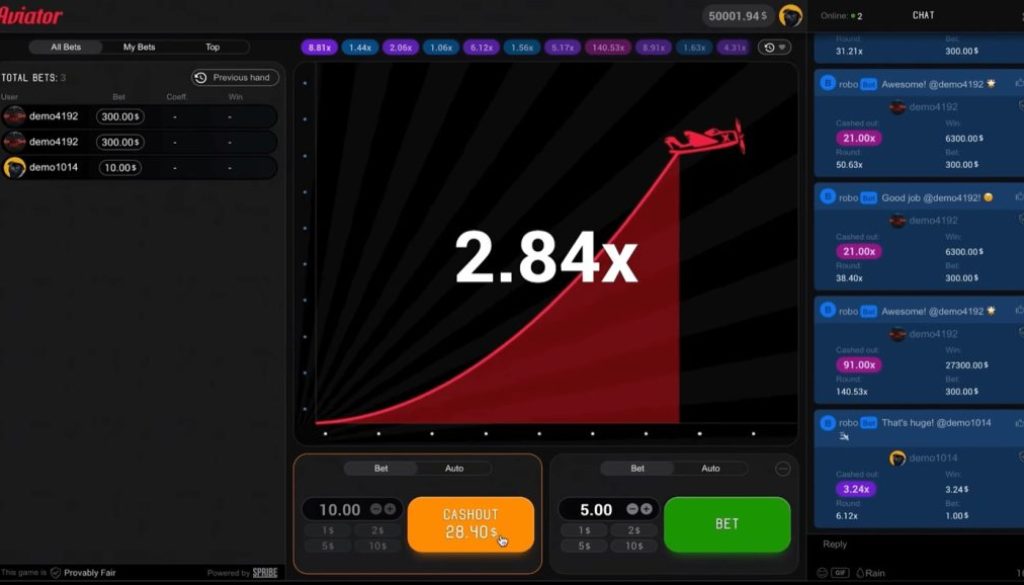
The game is not a slot and has no bonus round. Spribe describes it as a social multiplayer game built around an increasing curve that can crash at any time. The interface shows the current multiplier, previous round multipliers, live bets, chat, and the Provably Fair badge.
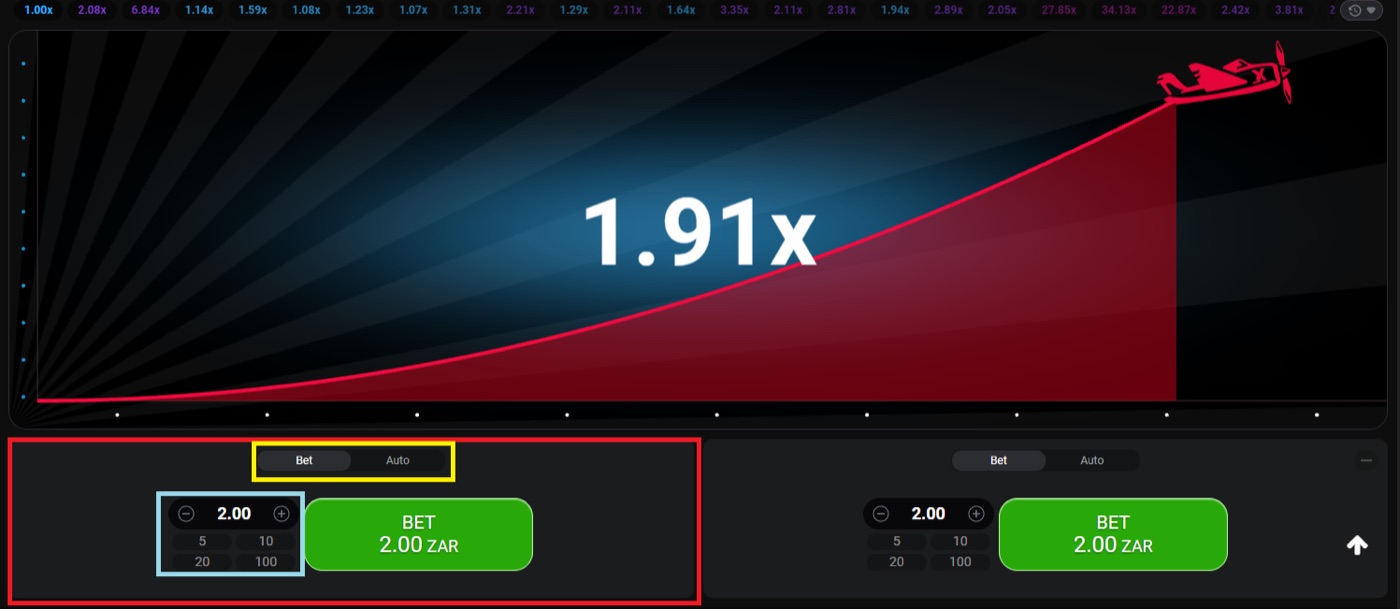
The desktop interface shows a 1.91x round and two separate bet panels.
- Open the Aviator game inside an operator website or app.
- Look at the round history at the top of the screen.
- Identify the Bet and Auto tabs on each panel.
- Find the stake field and the cash-out control.
- Check the live bets panel before placing anything.
- Wait for the next round instead of rushing into an active one.
The live bets panel can show All Bets, My Bets, and Top results. The Top view can use daily, monthly, or all-time wins. These displays show activity, but they do not predict the next crash point.
- The multiplier starts at 1.00x.
- The crash point is fixed before take-off.
- A cash-out request must reach the server before the crash.
- A few seconds usually separate one round from the next.
Rounds last about 8-30 seconds. Aviator usually runs 60-90 rounds per hour. That pace can make a first session feel faster than expected, so set your amount before you begin.
Use The Demo First
Aviator has a demo mode that needs no registration. The demo works on desktop, tablet, and mobile browsers.
Demo play lets you test the controls without using a real stake. It does not change the game rules or make a target more likely to win. Use it to learn where the buttons are and how quickly a cash-out request must be made.
- Open the demo mode from the available Aviator entry point.
- Place a small test bet using the displayed controls.
- Click cash-out while the multiplier is moving.
- Try a second panel with a different target.
- Switch between Bet and Auto without placing a real stake.
- Check the result in the round history.
Start with one panel in the demo. Choose a target such as 1.50x. Watch the multiplier rise. Click cash-out before the plane leaves. Then repeat the exercise at 2.00x and 5.00x.
The result can be a win or a crash. About 3% of rounds crash instantly at 1.00x, which is roughly 1 round in 33. A demo round can therefore end before you have time to act.
Do not use the history as a prediction tool. Rounds are independent. A sequence of low multipliers does not make a high multiplier due, and a recent high result does not make a low result more likely.
- Practise a manual cash-out at 1.50x.
- Practise a manual cash-out at 2.00x.
- Let one demo bet crash to see the losing state.
- Place two demo bets with separate targets.
- Stop when you can identify every control without searching.
Choose A Small Stake
Typical Aviator stakes range from about $0.10 to $100 per bet, but the available amount depends on the operator. Each bet panel uses its own stake.
A first real stake should be an amount that you can lose without changing your plans. Guides commonly suggest risking no more than 2% of a bankroll per round. That is a staking rule, not a way to remove the house edge.
| Bankroll | 2% reference stake | Use in a first session |
|---|---|---|
| $10 | $0.20 | One $0.10 bet on one panel, if available |
| $50 | $1.00 | One $0.50 bet or two $0.50 bets, if available |
| $100 | $2.00 | Two $1.00 bets, if available |
| $500 | $10.00 | Two $5.00 bets, if available |
The table uses simple 2% calculations. The minimum stake and maximum stake depend on the operator, so the exact buttons on your screen may differ.
- Set the session amount before the first real round.
- Use the same small stake while learning.
- Keep the two panels equal at first.
- Do not increase the stake after a loss.
- Stop when the planned session amount is gone.
Martingale does not solve a losing sequence. It doubles the stake after each loss and reaches 1,024 times the base stake after 10 losses. Fibonacci and D’Alembert systems also do not beat the 3% house edge.
Aviator has an RTP of 97% and a house edge of 3%. The expected value is -3% of the stake at every cash-out target. A strategy can change variance, but it cannot change that edge.
Cash Out Manually
Aviator lets you cash out while the multiplier is rising. A 1.50x cash-out on a $1 stake returns $1.50, including the original stake.
A 2.00x cash-out on a $1 stake returns $2.00 if the request reaches the server first. If the round crashes before the request arrives, that bet loses its $1 stake.
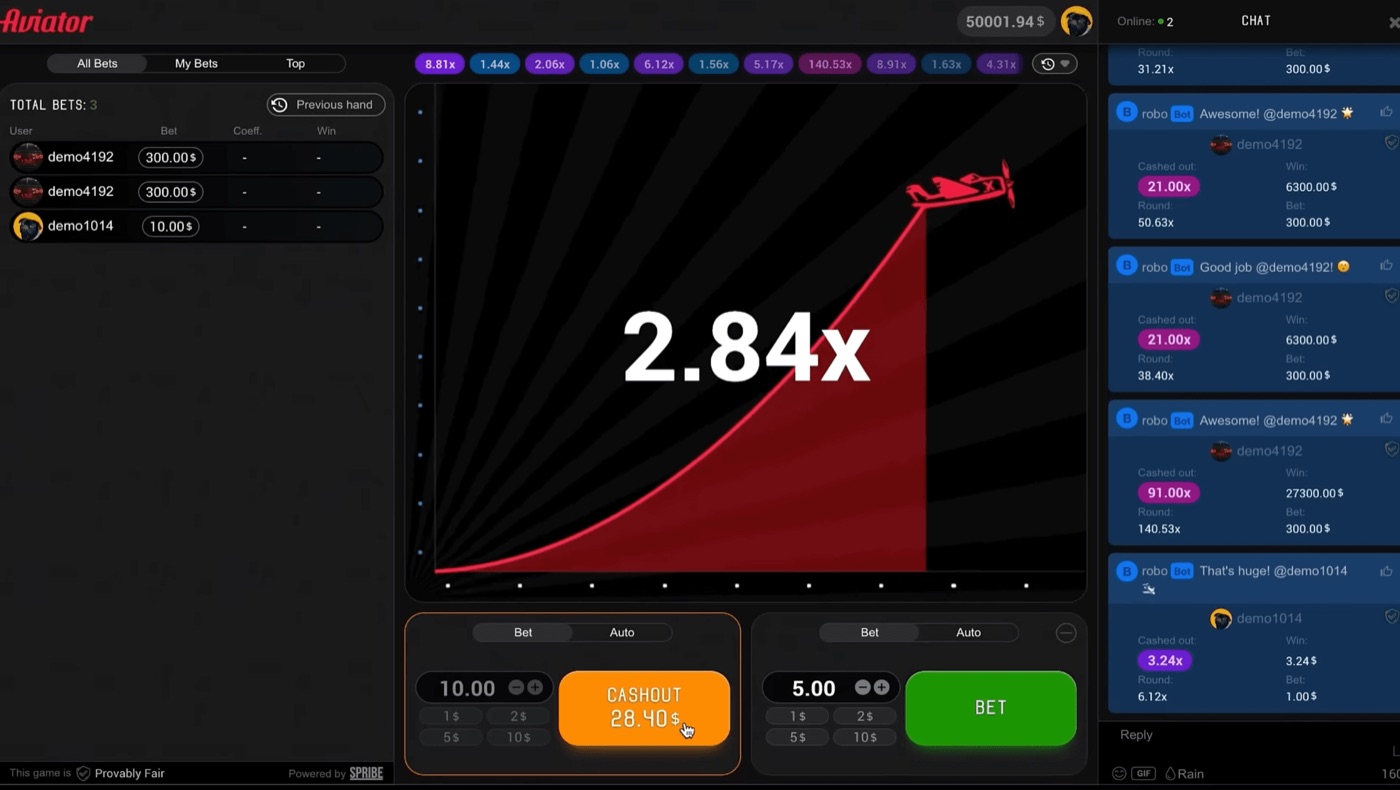
The full interface includes live bets, in-game chat, and a cash-out shown at 28.40x.
- Enter the stake before the round begins.
- Press Bet when the panel is ready.
- Watch the multiplier after take-off.
- Press Cash Out at your chosen point.
- Confirm the returned amount in the panel.
- Check the round history after the plane leaves.
Suppose you stake $2 and cash out at 1.50x. The return is $3, while the profit is $1. Suppose you stake $2 and cash out at 3.00x. The return is $6, while the profit is $4.
The probability that a round reaches 1.50x is 64.7%. The probability that it reaches 3.00x is 32.3%. A higher target has a larger return but occurs less often.
| Target | Chance of reaching it | $2 return if cashed out |
|---|---|---|
| 1.20x | 80.8% | $2.40 |
| 1.50x | 64.7% | $3.00 |
| 2.00x | 48.5% | $4.00 |
| 3.00x | 32.3% | $6.00 |
| 5.00x | 19.4% | $10.00 |
The probabilities use the published formula, 0.97 divided by the target multiplier. They describe many rounds, not the result of your next round.
A cash-out timeout can result from latency or a slow device. The request must reach the server before the crash. A visible button press does not guarantee a successful cash-out after the crash has already happened.
For a practical crash game, keep the first target simple and watch the confirmation in the bet panel. If you are comparing a stake, multiplier, or cash-out before logging in, aviator ghana login is a gambling search phrase, not evidence that any result is guaranteed.
Set Auto Cash-Out
Auto Cash-Out closes a bet at a preset multiplier. A 1.50x setting attempts to close a $2 bet at a $3 return.
Aviator also provides Auto Bet or Auto Play for 10-100 rounds. These controls can include stop-on-win and stop-on-loss settings, depending on the interface provided by the operator.
- Open the Auto tab on the selected bet panel.
- Enter the stake for each round.
- Enter the target multiplier.
- Choose the number of rounds if Auto Bet is available.
- Set stop-on-win or stop-on-loss if displayed.
- Review the settings before starting.
Auto cash-out removes the need to press the button at the target. It does not remove the crash risk. If the crash occurs below the preset multiplier, the bet loses.
Guides commonly use 1.50x-2.00x for auto cash-out. Targets between 1.30x and 1.50x win in roughly 65%-75% of rounds, but a frequent win does not create a positive expectation.
The probability of reaching 2.00x is 48.5%. The probability of reaching 10.00x is 9.7%. These figures explain why long targets can produce fewer wins and larger returns when they succeed.
Auto Bet can continue while you watch the screen. Use a fixed round count and a stop-on-loss setting for a first test. Do not leave it running without knowing the total amount at risk.
Place Two Separate Bets
Two bet panels let you use two cash-out targets in the same round. A $1 first bet at 1.50x and a $1 second bet at 5.00x risk $2 in total.
The first bet can attempt an early cash-out while the second remains active. If the multiplier reaches 1.50x but crashes before 5.00x, the first bet can win and the second bet can lose.
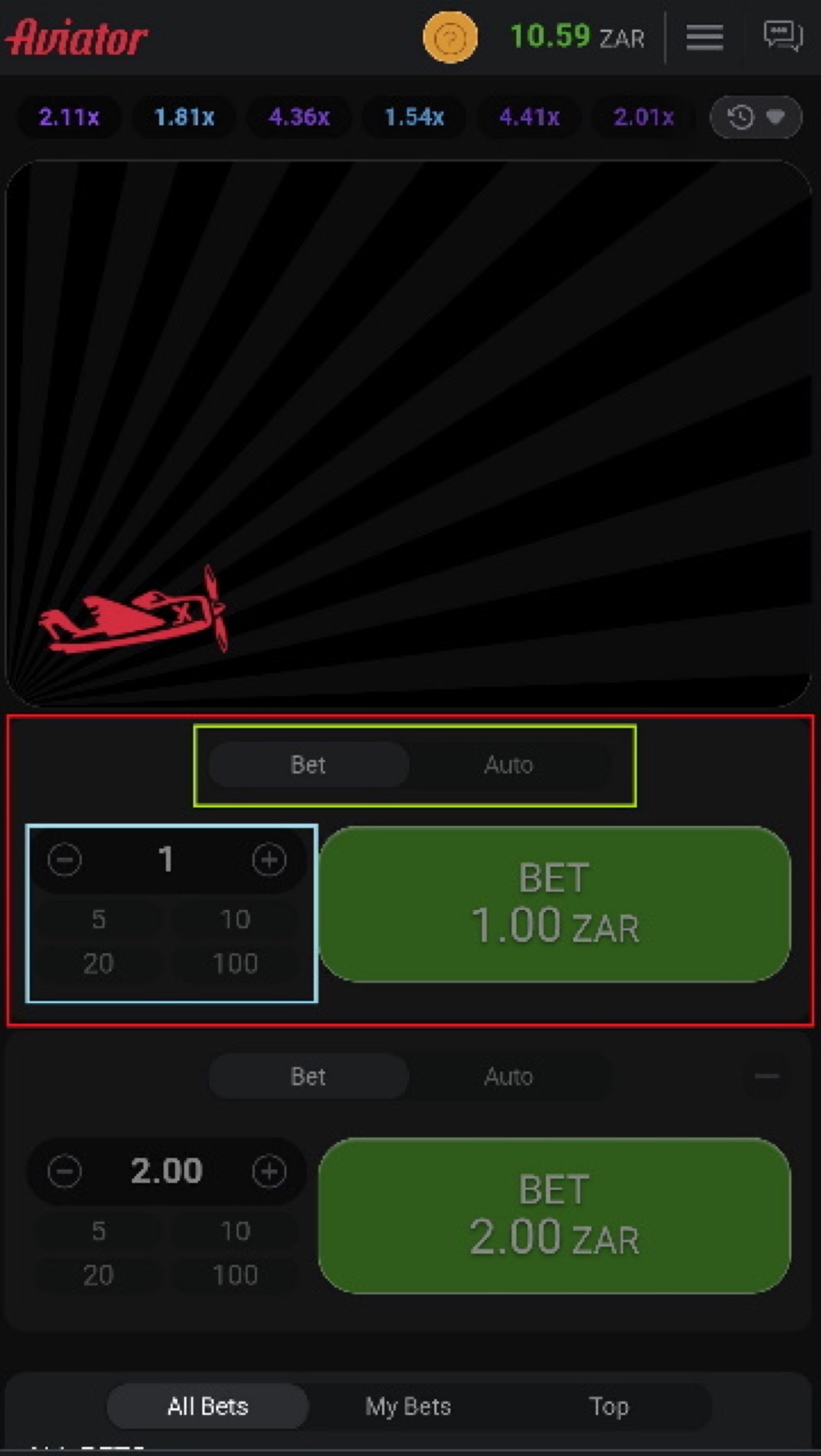
The mobile view places the multiplier and betting controls on a smaller screen.
- Enter $1 in the first bet panel.
- Set manual or auto cash-out at 1.50x.
- Enter $1 in the second bet panel.
- Set manual or auto cash-out at 5.00x.
- Place both bets before take-off.
- Cash out the first panel at 1.50x.
- Leave the second panel active until 5.00x or the crash.
At 1.50x, the first $1 bet returns $1.50. At 5.00x, the second $1 bet returns $5. If the round stops at 3.00x, the first target can succeed and the second target can fail.
This split-bet approach changes how returns are distributed. It does not remove the 3% edge. The expected value remains -3% of each stake at every cash-out target.
- Use equal stakes while learning.
- Choose a clear target for each panel.
- Check which panel has already cashed out.
- Do not treat the second bet as a recovery bet.
- Stop after the planned number of rounds.
Targets of 5x-10x are described as realistic long targets in guides, while 5x-50x targets carry high variance. The 10.00x target has a 9.7% probability, so it should not be treated as a routine result.
Do not chase a loss by raising either stake. Set a loss limit and a win limit before play, and stop when one is reached.
Aviator FAQ
Aviator launched in early 2019. Spribe released Aviator 2.0 on 15 August 2019.
The game uses a server hash, client seeds, and a verification tool to support provably fair results. The following answers focus on the first session and the controls used during play.
Can I play Aviator for free?
Yes. Aviator has a demo mode that needs no registration. Demo mode is available through an operator demo or demo.spribe.io and works on desktop, tablet, and mobile browsers.
Is there an app that predicts Aviator?
No prediction app can determine the crash point. Spribe commits the crash point before take-off through a SHA-256 server-seed hash, and public signal tools cannot change that result.
There is no standalone official Aviator app from Spribe. The game runs inside an operator website or app, while third-party Aviator and Aviator Predictor apps can use virtual coins, ads, or marketing claims.
How does Aviator cash-out work?
Manual cash-out requires you to press the control before the crash. Auto Cash-Out uses a preset multiplier, such as 1.50x or 2.00x, and attempts to close the bet automatically at that target.
Why did my cash-out time out?
A cash-out timeout can come from latency or a slow device. The request must reach the server before the crash, so pressing the control after the crash cannot close the bet.
Does the Aviator history show the next result?
No. The history shows previous multipliers, but rounds are independent. Patterns, graph analysis, best-time claims, and strategy charts do not change the published probabilities.
What happens if I place two bets?
Each bet panel has a separate cash-out. One $1 bet can target 1.50x while another $1 bet targets 5.00x, but each bet can win or lose separately.